Many of you have probably seen businesses that make use of LINE.
You’ve probably also seen messages at stores such as “Customers who add us as a friend on LINE will receive a service voucher” or “You can also make reservations via LINE.”
What business owners are using is LINE@, which was integrated into other services in April 2019 and relaunched as LINE Official Account.
“I want to get a LINE account for business use, but I don’t know how to do it.”
To begin with, I can’t really picture the difference between LINE@ and LINE Official Account.
For those people, this time we will explain in detail the functions, pricing, and differences between each service.
If you want to carry out marketing more easily, be sure to take a look.
What is LINE@ (Line At)?
LINE@ is one of the services provided by the communication app “LINE,” offered by LINE Corporation.
Unlike regular LINE, it is characterized by being designed for business use.
For example, it is used when companies conduct PR aimed at consumers, or when government agencies communicate information to citizens.
You can think of it as a service that is more specialized for marketing than LINE, which is used for personal messaging between individuals.
What is the difference between LINE@ and LINE Official Account?
The main difference between LINE@ and LINE Official Account lies in the scale of the companies or organizations that use them.
LINE@ is a service designed for small and medium-sized businesses and shops.
It is characterized by being widely used in small restaurants, beauty salons and esthetic salons, as well as pharmacies and clinics.
Conversely, LINE Official Account is a service designed for large corporations and government agencies.
It is characterized by extensive use by major restaurant chains, large food manufacturers, and nationwide drugstore and dry-cleaning chains.
They are also used by public institutions such as city halls, and in addition to issuing highly urgent information on crimes and disasters, they are used to announce everyday administrative procedures and information such as garbage collection schedules.
With the integration of services, both small and large companies can now use LINE Official Accounts, but previously the services had been separated according to company size.
In addition, the integration of the services has also led to differences in the pricing plans.
Since the basic features of LINE@ and LINE Official Account are the same, we recommend reviewing the plan information before registering.
Introduction to LINE@ Features and How to Use Them

LINE@ is characterized by offering far more functionality than accounts that individuals can obtain.
Here, we will review each feature one by one.
Messaging feature
You can send a broadcast message to everyone who has added this account as a friend.
It is most often used as a tool for attracting customers, to share information such as campaigns, sales, new products, and popular items, with the aim of drawing people in.
It is also a useful feature when you want to quickly share unexpected updates, such as temporary closures.
Chat function
You can send individual messages to people who have added this account as a friend.
There is not much difference from the regular LINE you use personally.
It is often used for inquiries, consultations, and complaints, and can be utilized as a messenger.
This is useful if you do not have your own website or have not set up a contact form.
However, if too many people register, it may take longer to respond and could instead create a sense of distrust.
The key is to respond in a way that also takes operational effort into account.
Send automatic reply messages
It includes an auto-reply message feature that sends the same preset response to users regardless of the content of their message.
For example, it can detect the word “reservation” and guide the user to the reservation page, or detect the words “business hours” and announce the business hours.
If it is difficult to respond to individual messages, you can also send a standard reply such as, “We do not respond to individual messages on LINE.”
You can also add a phone number and say, “Please contact the store directly,” so adjust the settings according to how many inquiries you can handle and how many friends you expect to register.
Timeline & Home feature
By sharing information on a timeline, you can organize and communicate it in chronological order.
In chat screens, older information keeps getting pushed up and eventually disappears from view.
I want to share information without sending message notifications to users.
This is useful in such cases and often results in casual posts, like offhand remarks or diary-style content.
Because it also has features such as “likes” and “comments,” it is well suited as a place to see how consumers respond.
Coupon and Lottery Features
With LINE@, you can distribute coupons and add lottery features for people who have added you as a friend.
This means you can distribute coupons that everyone who receives the message can use, as well as coupons that only a selected group of lottery winners can use, so users can truly feel the “sense of value” in registering.
This is also an effective initiative for encouraging repeat visits and increasing the number of new friend registrations, so let’s make active use of it.
Research feature
There is also a feature that lets you encourage people you are connected with to vote in the survey.
Which of these products would you prefer to have?
What would you like us to do for the new campaign?
One of our strengths is that we can collect responses in both multiple-choice and open-ended formats.
It is effective for understanding consumer needs and considering the next strategy.
LINE Gourmet Reservation Feature
If you have a verified LINE@ account, the reservation feature will also be enabled.
By selecting your preferred date and time, customers can easily make reservations via LINE, allowing you to significantly reduce the operations required for handling reservation calls and emails.
In addition, it offers detailed settings such as specifying courses and staff members, so it is widely used not only in restaurants but also in beauty salons, insurance services, and travel consultation counters.
LINE Shop Card feature
LINE@ also includes features for shop cards and point cards.
When customers visit your store, you can award points simply by having them show their LINE screen, and you can also issue special coupons and service vouchers directly via LINE.
For companies, it reduces the effort and cost of preparing cards or stamps, and for users, it eliminates the need to take a loyalty card out of their wallet each time. It can therefore be described as a win–win feature for both parties.
Analytics
You can view statistics on the information posted on LINE@, including how often it has been viewed.
You can closely track the number of likes, comments, views, and visitors to your page, making it an effective way to analyze the number of active users.
You can also see how many times the information has been shared on Twitter, Facebook, Instagram, and other platforms, which is useful when you want to check how widely it is spreading.
Types and Features of LINE@ (Line At) Accounts
There are two types of LINE@ accounts. Let’s take a look at how they differ.
General Account
A general account is an account that anyone can obtain on the spot.
No authentication or screening is required, and it can be obtained even by small businesses run by a few people or by individuals.
For this reason, it is widely used not only by companies but also by up-and-coming YouTubers, entertainers, idols, and freelancers.
Verified account
A verified account is an account that has passed the screening process of LINE Corporation.
Because it is reflected in searches within the LINE app, it is easier to increase new registrations and you can maintain a strong information advantage.
Although clear review criteria have not been disclosed, it is assumed that factors such as the number of subscribers and overall recognition have an impact.
Premium Account
Among verified accounts, these are accounts that have passed an especially rigorous review process.
Accounts such as those of public offices, which are expected to have a large number of registrants, are in most cases premium accounts from the outset.
How to Create a LINE@ Account / Getting Started with LINE@

You can obtain a LINE@ account completely free of charge.
First,go to the account creation page.
You can create it from any device: PC, smartphone, or tablet.
Unlike the LINE you use personally, you need to install a separate app for LINE@.
Since you cannot switch to LINE@ directly from the LINE screen, please manage them separately.
After installing the app on your device, create an account.
Once you register your personal LINE account or email address, your account itself will be created on the spot.
Next, let’s complete the settings in preparation for publication.
・Account name
・Status message
・Profile image
・Background image
・Background Design
・Location information
• Permission to add chats
Once you have configured these settings, you are done.
If you would like to request a change to your verification status, please submit a review request from “Verification Status.”
You will receive the review results in due course, and if your account is successfully verified, it will automatically be switched to a verified account.
How to Create an Official LINE Account [PC/Web Version]
You can also create an account from your computer.
The basic procedure is the same as registering from a smartphone or tablet.
Account creation pageGo to this page to create your account, complete the basic settings, and you can publish immediately.
However, please note that any LINE Official Accounts (business accounts) created with an email address will no longer be able to link with LINE.
It is important not only to authenticate by email address, but also to properly set an ID and password before linking accounts.
Four key points for delivering LINE@ (Line At) effectively

Using LINE@ is a very easy and convenient way to reach people, but depending on how you send messages, it can actually have the opposite effect.
Here, let’s explore the key points for delivering content effectively.
1. Share information in real time
The key is to deliver information in real time so that it can be put to use immediately after it is seen.
In today’s so‑called information society, people are exposed to a wide variety of media on a daily basis.
With information coming from a wide range of sources—other social media besides LINE, television, magazines, newspapers, radio, outdoor advertising, and even word of mouth—it is extremely difficult to ensure that only your company’s information is retained in people’s memory.
Therefore, let us work on initiatives that enable people who become interested in our company’s information to make immediate use of it.
“Until last month, we were running this kind of campaign” (past information)
"Next year, I’m thinking of working on something like this" (information about a future that’s too far ahead)
It is better to keep such things to a minimum and focus on delivering information that is immediately usable.
2. As a guideline, the distribution frequency is twice a month.
Because you may be eager to reach out frequently, sending out information almost every day is not highly recommended.
This can create negative effects, such as users feeling that notifications are too persistent and muting them, or important information being pushed away and becoming harder to review.
On the other hand, if you stream too infrequently, there is a risk that people will forget about you.
By sending out communications regularly about twice a month, you help ensure that customers remember your company.
3. Confirm the timing and details
To capture users’ interest, carefully determine the timing and content of your communications through thorough discussions and research.
In summer I feel like drinking beer, so I’d be glad to have some beer coupons.
“With summer swimsuit season coming up, I’m thinking of looking for a hair removal salon while it’s still winter.”
and so on, you need to understand and anticipate needs in line with your business type.
The key is not only to ask customers who visit us regularly directly, but also to actively gather information from people close to them and from current trends.
4. Communicate information that is beneficial to customers
Keep in mind that many people who add a company’s LINE account as a friend do so because they want to receive information that is useful to them.
It is important to increase the proportion of messages about campaigns, sales, new products, coupons, and lotteries so that customers feel, “I want to visit again.”
Behind-the-scenes stories about product development and diary-style posts from the store side are important for creating the right atmosphere, but be careful not to post them too frequently, as this can make them feel burdensome to customers.
Points to note when introducing and using LINE@ (Line At)
To use LINE@ effectively, it is important to keep certain key points in mind.
To ensure efficient operations, make sure to address this in advance.
1. Clarify the objectives for introducing LINE@
First, take some time to develop a clear idea of what you want to do with your LINE@ account.
・I want to strengthen our customer acquisition capabilities
・I want to limit this to information dissemination only.
・We would like to use it as a tool to reduce the workload of reservation operations.
and so on, the way it is operated varies greatly depending on the objective.
All of these are things you can do with LINE@, but avoid trying to use everything from the start out of sheer ambition, and conversely, avoid running it aimlessly without any clear objective.
Once your goal is clearly defined, what you need to do will naturally come into focus.
2. Devise ways to encourage more customers to register
Even if you are making good use of LINE@, its effectiveness is cut in half if only a few customers actually see it.
First, broaden the entry point significantly and find ways to encourage as many people as possible to register.
・Distribute coupons exclusively for people who have newly added us as a friend
・Give a merchandise gift on the spot to those who register
Distribute flyers encouraging people to register.
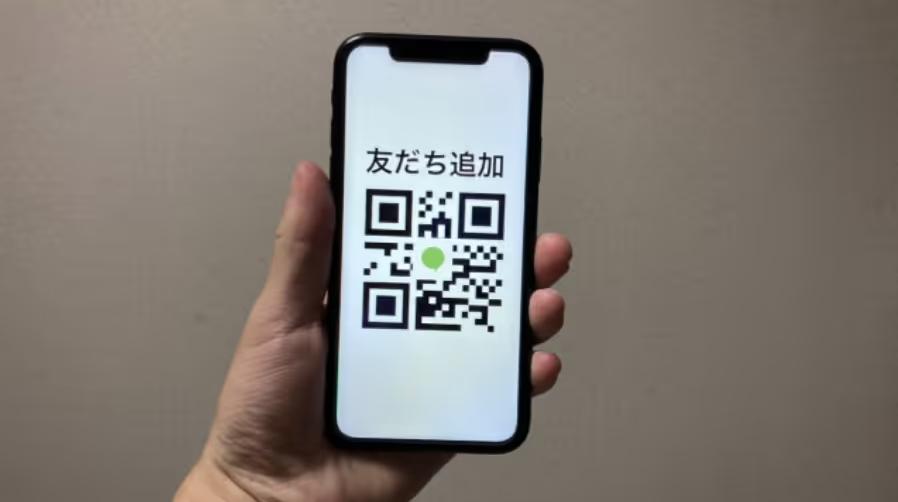
・Place QR codes for registration in multiple locations inside the store
・Add your LINE@ account to your company website and social media channels
Let’s try implementing a variety of such initiatives.
3. Review and adjust to a plan that fits your current situation
It is also effective to review your pricing plan to ensure an appropriate balance between cost and value.
For example, if you choose an advanced plan even though you do not have many subscribers, the costs may end up outweighing the benefits you gain.
Conversely, if you have a sufficient number of subscribers and many active users but are still on a small plan, you may be missing opportunities because you cannot take an effective approach.
We recommend regularly analyzing your information and comparing it with other plans to determine whether you should switch.
The four pricing plans of LINE@
There are four plans available for LINE@. Although LINE Official Account now offers three plans, first consider which plan your company should apply for.
Free Plan
The Free Plan allows you to use all features completely free of charge.
Since messages are limited to 1,000 per month, please use the higher plan if you have a large number of friends registered.
One advantage is that even on the free plan, there are no restrictions on the features you can use.
Since it is fully capable of communicating with users, the free plan should be sufficient as long as sending up to 1,000 messages is not an issue.
Basic Plan
The Basic Plan is priced at 5,000 yen per month.
There is no limit to the number of messages you can send per month, but please note that you can send them to a maximum of 5,000 accounts at the same time.
When it looks like you are going to exceed 5,000 people, you will need to shift to the Pro plan.
You can also post information about your company on your friends’ timelines without limitation, making it easier to reach out.
Because you can add your own menu to the chat keyboard area, it is also convenient for handling reservations and inquiries.
Pro Plan
The Pro Plan is priced at 20,000 yen per month.
The maximum number of accounts you can message simultaneously will be increased to 100,000.
In addition, you can distribute videos with embedded links and direct users to any URL you choose.
It also includes a feature that lets you view LINE@ friend attributes, making it a recommended option when you want to conduct more detailed targeting and marketing analysis.
Pro (API) Plan
The Pro (API) plan is priced at 30,000 yen per month.
You will no longer be able to manage or edit via the chat function or the LINE@ app, but in return you will be able to use step mail.
This plan is designed for large-scale accounts with more than 100,000 subscribers and can be described as a plan dedicated exclusively to corporate information dissemination.
How corporate enterprises can effectively leverage LINE@ (Line At)
Here, we will introduce several ways to make use of LINE@.
We will explain how LINE@’s features can be useful, so you can use this information to better envision how it will work after implementation.
1. Use this to attract new users
First, there is a way to use coupons and similar offers to attract and acquire new users.
Get a ¥300 off coupon you can use immediately when you add us as a friend.
Guests who register will receive amenities that can be used on future visits as well.
…and so on. Use these to create opportunities for people to take an interest.
If you can create a sense of value, you may be able to outperform your competitors.
2. Use it to attract existing users
This is a method for regularly sharing information with users who have added you as a friend, with the aim of encouraging repeat visits.
Let’s go use the coupon we got last time.
"Looks like there’s a new product out, so let’s take a look."
In this way, it is easy to create opportunities for customers to visit the store, and it can be used as one form of public relations and advertising.
3. Improve internal operations
If the workload involved in certain tasks is too large and driving up costs, there are cases where leveraging LINE@ can help improve the situation.
For example, this applies when inquiries are coming in through multiple channels such as phone, email, the message form on your company website, postcards, and so on.
By consolidating all contact points into LINE, it will become easier to visualize inquiry status and improve operability, enabling you to respond immediately.
This approach offers significant advantages and readily leads to customer satisfaction, as people feel that their inquiries are handled promptly.
4. Use it as a reservation system
By consolidating all reservations into LINE, you can also eliminate errors caused by managing them on paper.
Because users enter their information directly into the reservation system on LINE@, the store does not need to allocate staff for this, and issues such as double bookings or missed cancellation processing can be prevented.
In addition, users can make reservations even outside business hours or on days when the store is closed, so you never miss the moment when they feel, “I want to use this service.”
Because no margin is taken as with various booking sites, this is also an effective approach if you wish to accept only direct bookings through your own company.
5. Use as a means of cost reduction
At first glance, using LINE@ may seem costly, but in fact there are cases where it can actually reduce expenses.
LINE@ includes features such as reservation management, shop cards, and bulk message distribution.
・Development and maintenance of reservation systems
・Costs for purchasing shop cards and stamps
・Printing costs for coupons and flyers
・Costs for leaflet distribution and advertising placement
This makes it easy to reduce such costs and offers outstanding cost performance.
Of course, it is difficult to reduce costs completely to zero, since we also need to reach segments that do not use LINE, but if you are looking to cut costs, this is a highly effective approach.
LINE@ (Line At) Account Implementation Case Study
Finally, let’s look at real-world examples of companies that have successfully used LINE@ in their PR strategies.
Because this service is used by a wide range of companies across different industries, reviewing case studies may help you grasp effective operational tips.
BOTEJYU Group Holdings Co., Ltd.

Image source:https://www.botejyu.co.jp/
BOTEJYU Group Holdings Co., Ltd. operates approximately 100 okonomiyaki restaurants across Japan.
In the past, our strategy was to place coupons in local town magazines and insert flyers into regional newspaper inserts.
However, because it was difficult to analyze cost-effectiveness and we wanted to encourage more visits from younger customers, we decided to introduce LINE@.
As the birthplace of modern-yaki, we created friendly messages in Kansai dialect and continued sending them out about twice a month, targeting around noon for lunchtime and early evening for dinnertime.
In addition, by creating a dedicated menu in the keyboard area to improve access to links such as the coupon page and the takeout/delivery page, they have ultimately achieved over 490,000 friend registrations.
Since then, we have continued to use push notifications effectively and maintained a high open rate.
・Reference:https://www.linebiz.com/jp/case-study/botejyu/
RITA-STYLE Inc.
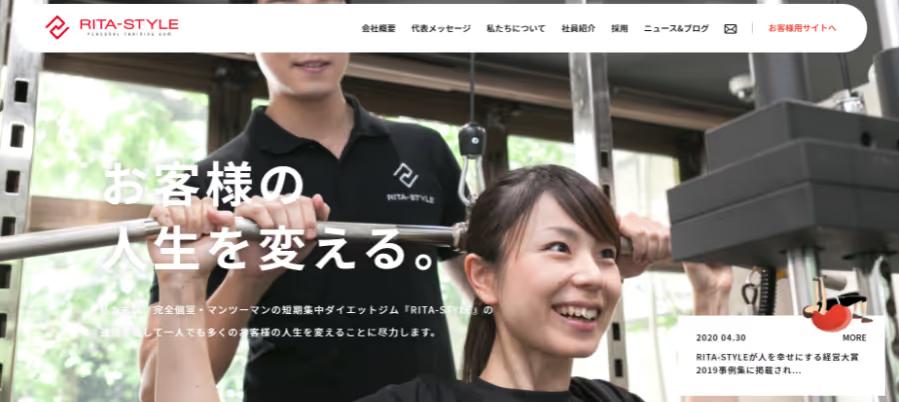
Image source:https://inc.rita-style.co.jp/
RITA-STYLE Inc. is a company that offers one-on-one personal training services in fully private rooms.
With the head office LINE@ account, we focus on sharing trial lesson and campaign information, while with each store’s LINE@ account, we concentrate on responding to direct inquiries from users.
Trainers and users can maintain close communication, enabling quick responses to questions about actual meal management, daily exercise, and training, which in turn can help improve customer satisfaction.
This case study shows that LINE@ can be used not only for acquiring new users, but also as an effective tool for engaging existing users.
・Reference:https://www.linebiz.com/jp/case-study/rita-style/
Radic Co., Ltd.
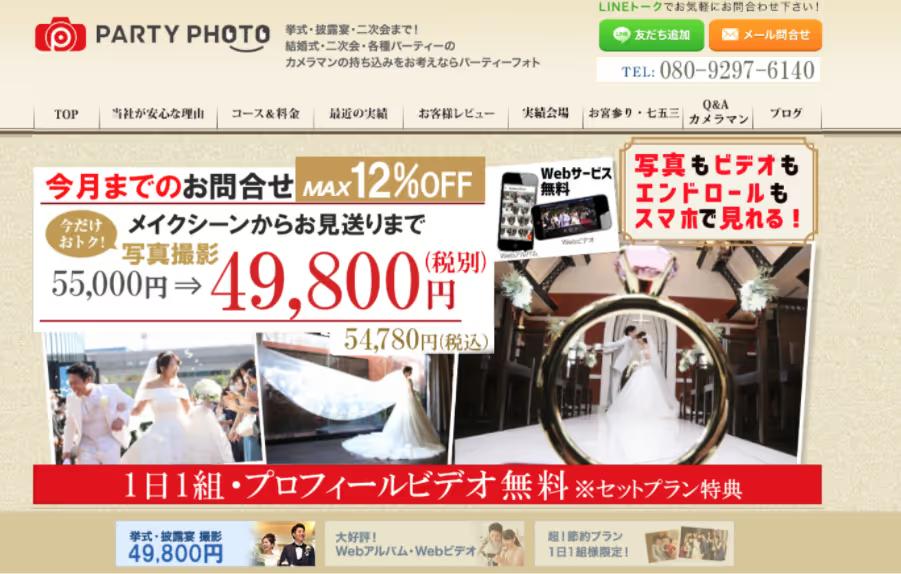
Image source:https://partyphoto.jp/
The company that operates Party Photo, a portal site where you can hire professional photographers for on-location shoots, is Radic Co., Ltd.
Noting that many people who request on-location photo shoots are younger users preparing for weddings, shrine visits for newborns, Shichi-Go-San celebrations, and school entrance or graduation ceremonies, we have introduced LINE@.
With user convenience in mind, we use LINE chat for all communication. We have designed our process so that everything can be completed via LINE, from new inquiries and scheduling consultations to aligning on shooting concepts and sharing the schedule for the day of the shoot.
It also appears that launching a LINE@ account at the same time the service was rolled out in 2015, and placing “Add Friend” buttons throughout the website, was effective in driving new user acquisition.
This is a case where all meetings up to the start of the service are conducted via LINE, demonstrating that a high level of convenience is being achieved.
・Reference:https://www.linebiz.com/jp/case-study/partyphoto/
Fantasista Inc.

Image source:https://www.fantasista-inc.jp/
Fantazista Co., Ltd. provides intermediary services and sales for dealer auctions involved in purchasing used cars.
We have introduced LINE@ to enable prompt communication with users who are considering purchasing or selling.
Because this industry deals with cars, which are high-value products, close communication with users is considered essential. However, many users are at work during the day, and it had become a problem that even if they were contacted, they could not answer phone calls or did not have time to reply to emails, creating a dilemma.
Since people are already accustomed to using LINE in their daily lives, many users make use of spare moments to reply, and as a result, the speed at which deals are closed has reportedly improved dramatically.
They have also implemented measures such as enabling users who are considering purchasing a used car to jump from LINE to a page where they can search vehicle information, making this a case study that can serve as a reference for methods of improving operations.
・Reference:https://www.linebiz.com/jp/case-study/fantasista/
Aioi Insurance Agency Co., Ltd.
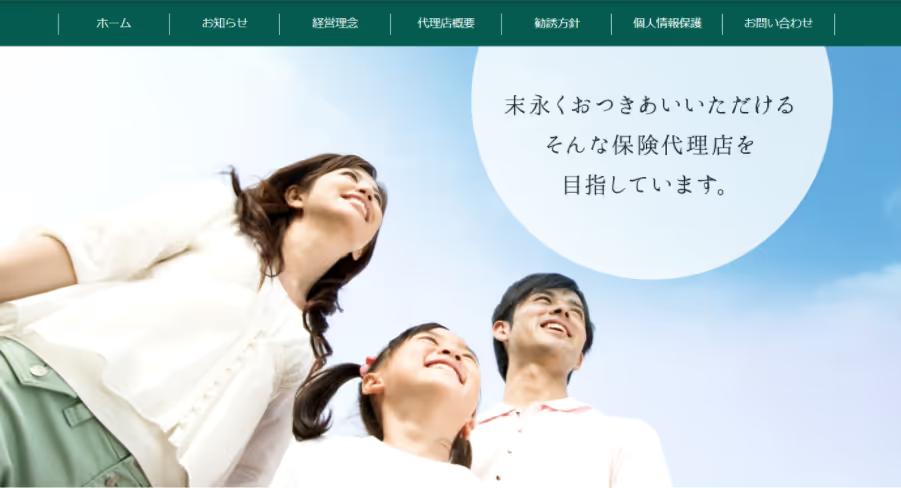
Image source:https://aioihoken-yamaga.com/
The company that conducts non-life insurance agency operations in Kumamoto Prefecture is Aioi Insurance Office Co., Ltd.
Although we had only just introduced LINE@ in 2020, we were able to significantly reduce the time required for insurance claim payments by half, and we have confirmed that the results are satisfactory.
The key point was that the initial response to incidents, accidents, and disasters was dramatically improved through the use of LINE.
Based on the hypothesis that “the speed at which an insurance company can take action directly affects user satisfaction,” they reformed their process so that customers now send photos of damaged homes, vehicles, and accident sites via LINE.
As a result, the effort of going on-site to check the damage situation was eliminated, and the time required until payment was reportedly shortened.
We can see that this is a case where, in addition to reducing face‑to‑face contact and thereby helping to prevent infectious diseases, there was a tangible sense that customer satisfaction had also improved.
・Reference:https://www.linebiz.com/jp/case-study/aioihoken/
Summary: How to Use LINE@ and Its Features
LINE@ is an innovative service that allows you to send information directly to users’ smartphones.
If you can leverage the messenger app LINE, now used by many people, to explore business opportunities, you will be able to reach a broader audience and improve your own operations.
Based on what we have covered here, consider where in your company LINE@ could be of use.
There may be a major business opportunity lying dormant.